
PairDock
A small tray app for Windows and macOS: guided pairing, button remapping and shortcuts, battery levels, and unpairing, with no Logitech software, account, or telemetry.
People with Logitech Bolt mice and keyboards who want to pair devices and remap buttons without installing Logi Options+.
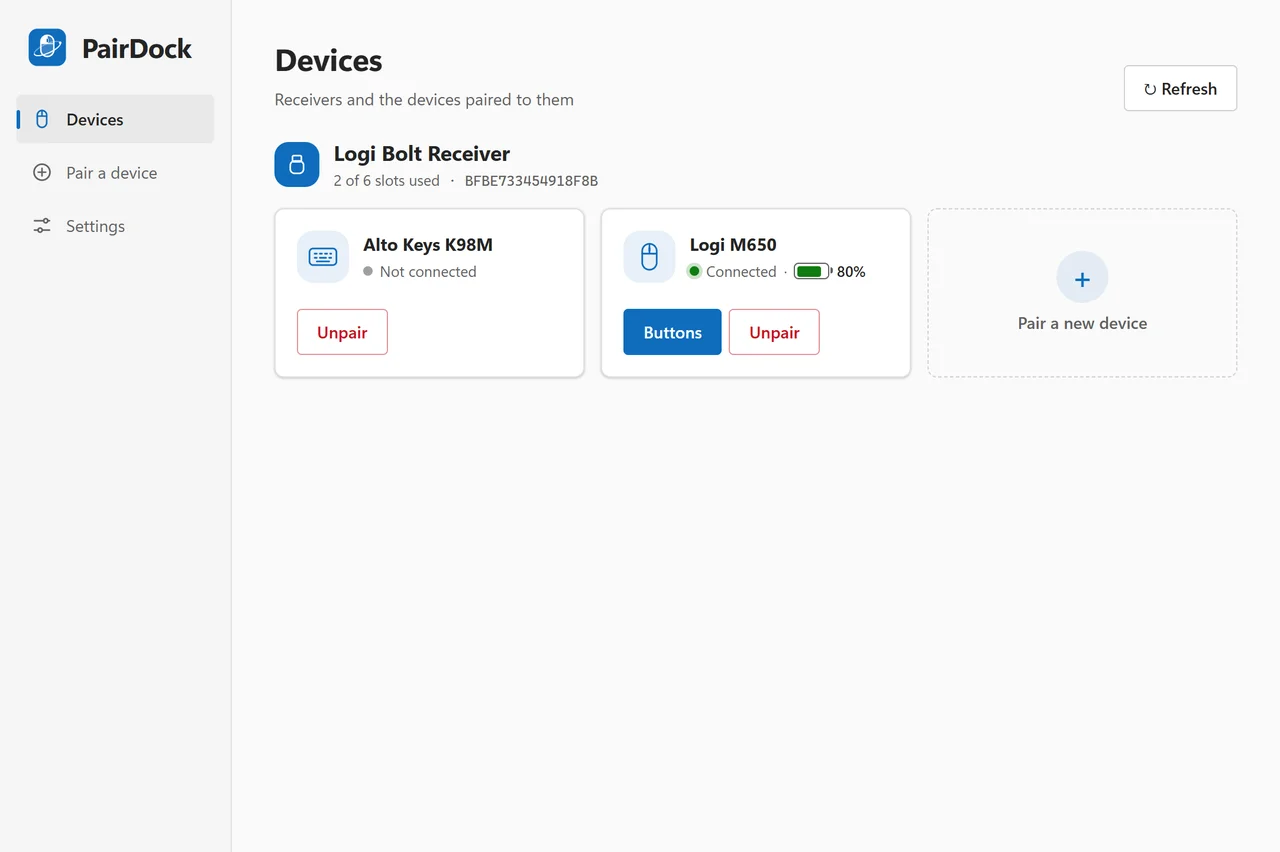
Overview
- A small Windows and macOS app that pairs mice and keyboards to a Logitech Bolt receiver and customizes their buttons.
- Guided pairing shows which mouse button to click next or which digits to type on a keyboard.
- The only network connection is an update check on GitHub, which you can turn off.
Common Uses
- Pair a new Bolt mouse or keyboard without installing Logi Options+.
- Map a side button to a shortcut such as Ctrl+C or Alt+Left.
- Check battery levels and free receiver slots.
Requirements
- Windows 10 or 11 (64-bit) with the Microsoft Edge WebView2 runtime (included in Windows 11), or macOS (tested on macOS 15 on an Intel Mac).
- A Logi Bolt USB receiver and devices with the Bolt logo. Unifying receivers are detected but not supported yet.
Install
- 1
Windows: download PairDock_x.y.z_x64-setup.exe from the latest GitHub release and run it. The installer is not code-signed yet, so SmartScreen may ask you to choose More info, then Run anyway.
- 2
macOS: download the .dmg for Apple silicon or Intel, open it, and drag PairDock into Applications. The first start needs Open Anyway, and shortcuts need the Accessibility permission.
- 3
If Logi Options+ is installed, quit or uninstall it first so both programs do not handle the same buttons.
Configure
- 1
Plug in the Logi Bolt receiver and start PairDock; it opens on the device list.
- 2
Choose a light or dark theme and English or Chinese in settings.
- 3
Keep PairDock in the tray (menu bar on macOS) so shortcuts and disabled buttons keep working.
Tools / Commands
- Pair a device: put the mouse or keyboard into pairing mode, pick it from the list, and follow the highlighted buttons or digits.
- Customize buttons: give a mouse button its default action, another button's action, a key shortcut, or disable it.
- Unpair a device, and clean up the old slot a device leaves behind when it is paired again.
Resources / Settings
- Talks to the receiver through the HID driver that comes with Windows or macOS; no Logitech software or driver.
- Pairings are stored in the receiver, not on the computer.
- One ~3 MB installer and one tray app; no account and no telemetry.
FAQ
Frequently asked questions and troubleshooting guides.